

People watch Facebook Live videos three times longer than regular pre-recorded videos. Three times. And they comment ten times more.
That’s not a minor difference. That’s a completely different level of engagement, and most businesses are still sleeping on it.
If you have been curious about using Facebook or want to know what all the excitement is about this guide is for you. Everything that you actually need to know.
What Is FB Live, Exactly?
Facebook Live is a streaming feature that lets you broadcast in real time. Your viewers. Comment as it happens and the video gets saved automatically so people can watch it later.
So what makes Facebook Live different from a video? It’s the interaction. Viewers can react, ask questions and get answers away. That live energy is what makes engagement numbers go up.
The best part is that it’s free. You can use it on your phone or computer.. With, over 3 billion people using Facebook every month your audience can be huge. Facebook Live is a way to reach people.
Can Anyone Go Live?
Personal profiles, yes, no restrictions.
Pages (businesses) have had requirements since June 2024:
- Your page must be at least 60 days old
- You need a minimum of 100 followers
Meta added these rules to cut down on spam. So if you’re just starting a business page, grow that following first before expecting to go live.
How to Go Live on Facebook
From your phone (Facebook app):
- Go to your profile, Page, or group
- Tap “What’s on your mind?”
- Select “Live video”
- Add a title and description
- Tap “Go Live” and you’re streaming
From desktop (web browser):
- Click “Live” or “Live Video” from your homepage
- Choose “Go Live”
- Fill in your title, description, and where it posts
- Select your camera/audio or connect a streaming encoder
- Hit “Go Live” when ready
From Meta Business Suite app:
- Select your Page in the app
- Tap the blue (+) button
- Choose “Live”
- Add your description and tap “Go Live”
Simple enough if you were looking for how to use facebook live steps. The setup for how to fb stream takes less than two minutes once you’ve done it once.
The Built-In Tools You Should Actually Use
Facebook gives you a full toolkit during your stream. Most people ignore half of it.
- Live Polls: create one beforehand and launch it mid-stream. Great for keeping people engaged and sparking real conversation
- Live With: co-host with guests. Up to 50 people via Messenger Rooms
- Live Comment Moderation: control who can comment and how often. You can even assign a moderator so you’re not distracted
- Front Row: highlights your most engaged fans during the stream. A small touch that people genuinely appreciate
- Featured Links: Pin a link during the stream for viewers to click. Perfect for promotions, sign-ups, or driving traffic
- Live Shopping: if you sell on Facebook, you can tag products directly in the stream and let viewers buy in real time
- Donations: Nonprofits can add a Donate button. No platform fee if you’re using Facebook’s payment system
- Badges: viewers earn these by engaging with your content. Builds loyalty over time
Use the ones that fit your stream. You don’t need all of them but ignoring them completely is leaving real engagement on the table.
How To Join A Live On Facebook
Looking for how do you watch a facebook live event steps? Here it is. If someone else is streaming and you want to tune in, it’s easy.
- Live videos appear in your News Feed automatically
- You’ll get a notification if you follow a Page that goes live
- Go to facebook.com/live to browse active streams
- Tap or click the video to join and watch
You can watch on any device. You don’t even need a Facebook account for public streams just the link.
Facebook Live Tips That Actually Make a Difference
This is the part where a lot of guidesre not very clear. Here are the things that really make a difference with streams:
Go live for at least 30 minutes.
I think it is worth noting that live streams that are over an hour long have engagement rates that’re almost double the engagement rates of live streams that are under thirty minutes. The longer you are live the more people will find your stream while it is still going on.
Keep reintroducing yourself.
The thing is, people do not always join your stream from the very beginning. So every 5 to 10 minutes you should say who you are and what your live stream is about. I know it might sound like you are repeating yourself. The people who just joined your live stream really need to hear this information, about your live stream.
Say names out loud.
When someone comments, read their name and respond verbally. It makes viewers feel seen and keeps others commenting hoping for the same.
Ask questions constantly.
Live streams can be really boring. So you should keep asking your viewers things like “Drop a comment if you agree” or “Tell me where you are watching from” or “What do you want me to cover next”.
Don’t script it.
You should have some ideas about what you want to talk about.. Do not write it all down and read from a piece of paper. People, like live streams because they’re not perfect and have some spontaneous moments.
Test before you broadcast.
You can run a private test stream visible only to you. Do this at least once before going live publicly so you’re not troubleshooting audio issues in front of an audience.
Don’t worry about mistakes.
Stumble over a word, lose your train of thought, have something fall over keep going. These moments make live video feel real. The audience almost always responds positively.
How to Edit a Facebook Live Video
Once your stream ends, it saves automatically to wherever you went live. Things you can do after:
- Edit the title and description
- Change privacy settings
- Trim the beginning or end of the video
- Add captions
- Download it to your device
- Delete it entirely if needed
One thing worth doing: go back and add a trackable link to the description. This lets you measure how many people click through after watching the replay, useful data if you’re using Digital Marketing Services to track campaign performance.
How to Check Your Performance Analytics
Head to Meta Business Suite → Insights → Content → set media type to Video.
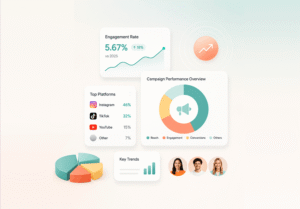
Key metrics to watch:
- Views and watch time: how many people tuned in and for how long
- Peak live viewers: the highest number watching simultaneously
- Comments and reactions: your engagement signal
- Audience retention: where people dropped off
- Reach: total people who saw the stream, live or replay
For businesses building a streaming strategy, checking these after every broadcast tells you what topics, formats, and lengths actually resonate with your audience.
One More Thing: Repurpose Everything
Do not let a good stream just sit there. Download the video. Do something with it. You can:
- Cut the video into clips for Instagram Reels or TikTok
- Pull quotes from the video for graphics
- Transcribe the video. Turn it into a blog post or email newsletter.
- Upload the full version to YouTube for search visibility
One Facebook Live stream can fuel a week’s worth of content if you approach it that way.
If you’re building out a bigger digital presence websites, apps, and content systems, Cognitive IT Solutions provides IT services designed around growing businesses. Because good content needs a solid infrastructure behind it.
To Conclude
Run through these steps before you go live:
- Make sure you have light. Face a window. Use a ring light.
- Check that your internet connection is strong. Don’t just rely on wifi. Check your internet speed too.
- Ensure your phone or camera is completely charged.
- Choose a background.
- Have a title and description.
- Line up a moderator, in case you get a lot of comments.
- Do a test broadcast.
- Think about the points you want to discuss. Don’t write them down.
That’s it. Hit Go Live.
Frequently Asked Questions (FAQs)
What equipment is needed for a Facebook Live stream?
You must have a smartphone with a camera and a reliable internet connection. To have a Facebook Live stream that looks like it was really good you should get a few things. You can obtain a ring light to make everything look brighter a tripod to help keep your smartphone stationary and external microphone to make your voice sound clearer. Should you be using a desktop to stream your Facebook Live you can use a web camera or a special camera, and software like Restream to get it working.
What are the best practices for Facebook Live?
- Stay live at least 30 minutes.
- Reintroduce yourself after every couple of minutes.
- Comment by using the name.
- Privately test your stream beforehand.
- Comments moderated by a moderator.
- End with a clear call to action
What is the 20% rule on Facebook?
The previous policy of Facebook on adverts disapproved of images on which text occupied over 20 percent of the space. However, this rule has since been softened by Meta; now, text-heavy advertisement images are charged with reduced reach and increased cost. There is still less text that does better.
How much does FB pay for 1,000 views?
Facebook charges between 1-5 a 1000 views as a part of in-stream advertisements, however, it can range widely based on the niche, location of the audience, and the demand of the advertisement. Other creators are recording greater revenues of approximately $8-10 per 1,000 in high-CPM niches such as finance or technology. No predetermined rate.